Libation vs OpenAudible vs Epubor Audible Converter: Which Is Best?
Many Audible users want to listen to their audiobooks on MP3 players, car stereos, or non-Audible devices. However, Audible audiobooks are protected by DRM and stored in AAX or AA formats, which most players do not support. This article compares three popular Audible conversion tools �Libation, OpenAudible, and Epubor Audible Converter �to help you choose the best solution.
Quick Comparison Overview
| Feature | Libation | OpenAudible | Epubor Audible Converter |
|---|---|---|---|
| Price | Free (Open Source) | Paid (Yearly / Lifetime) | Paid (Lifetime / Subscription) |
| Supported OS | Windows / macOS / Linux | Windows / macOS / Linux | Windows / macOS |
| Remove Audible DRM | Yes | Yes | Yes |
| Output Formats | MP3, M4B | MP3, M4B | MP3, M4B, MP4 |
| Conversion Speed | Normal | Fast | Very Fast (up to 60×) |
| Ease of Use | Advanced | Moderate | Beginner-Friendly |
| Customer Support | Community Only | Email Support | Dedicated Support |
Libation Audible Converter
Libation is a free, open-source Audible downloader and converter widely recommended on Reddit. It allows users to download their Audible library and convert audiobooks into MP3 or M4B format.
Pros
- 100% free and open source
- Works on Windows, macOS, and Linux
- Downloads and converts Audible audiobooks automatically
- Preserves chapters and metadata
Cons
- User interface is not beginner-friendly
- Setup process may feel complicated
- No official customer support
Libation is best for technical users who want a powerful and completely free Audible conversion solution.
OpenAudible
OpenAudible is a commercial Audible library manager and converter. It offers a clean interface and allows users to download, organize, and convert Audible audiobooks easily.
Pros
- Modern and easy-to-use interface
- Built-in Audible library management
- Supports MP3 and M4B formats
- Available on Windows, macOS, and Linux
Cons
- Paid software
- Conversion speed is slower than some competitors
- Lifetime license costs more upfront
OpenAudible is suitable for users who want a balance between usability and advanced features.
Epubor Audible Converter
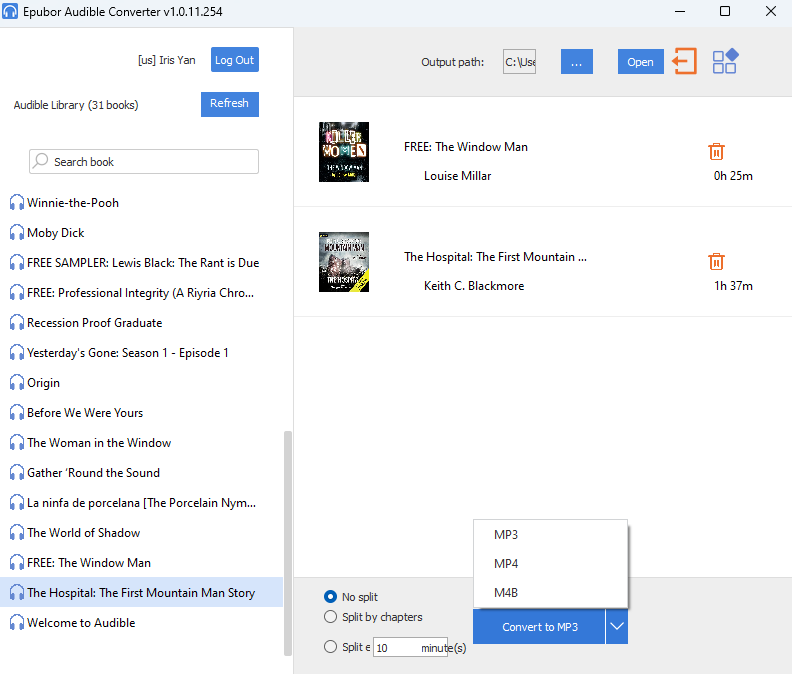
Epubor Audible Converter focuses on simplicity and speed. It is designed for users who want to remove Audible DRM and convert audible to MP3 with minimal setup.
Pros
- Extremely fast conversion speed
- Very easy to use, ideal for beginners
- Supports MP3, M4B, and MP4
- Keeps chapters and ID3 metadata
- Professional customer support
Cons
- Paid software
- Fewer advanced audio customization options
Epubor Audible Converter is recommended for users who want the fastest and most hassle-free Audible to MP3 conversion experience.
Which Audible Converter Should You Choose?
- Choose Libation if you want a free and open-source tool and don’t mind a learning curve.
- Choose OpenAudible if you want a polished interface and library management features.
- Choose Epubor Audible Converter if you want speed, simplicity, and reliable customer support.
Final Thoughts
Although Audible does not officially support exporting audiobooks to MP3 players, tools like Libation, OpenAudible, and Epubor Audible Converter provide practical solutions. Choosing the right tool depends on your technical skills, budget, and how often you convert Audible audiobooks.